For pest control professionals and businesses subject to reporting requirements
Digital snap traps that switch between trapping and monitoring
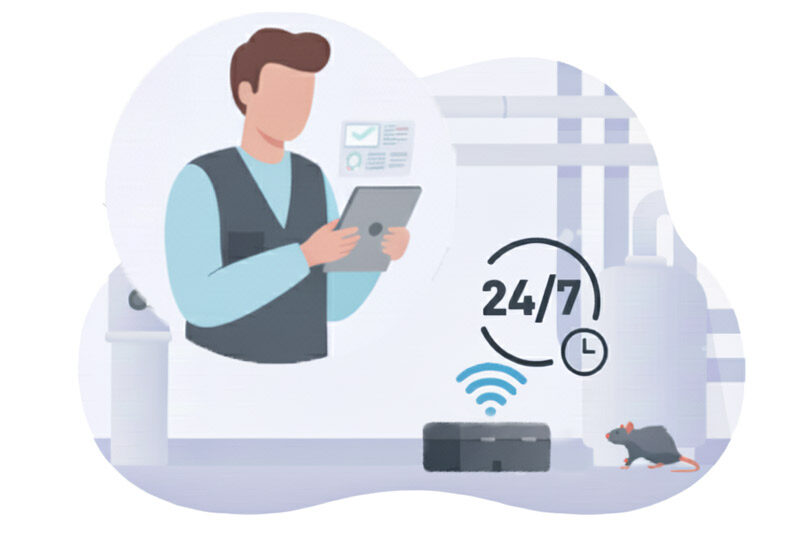
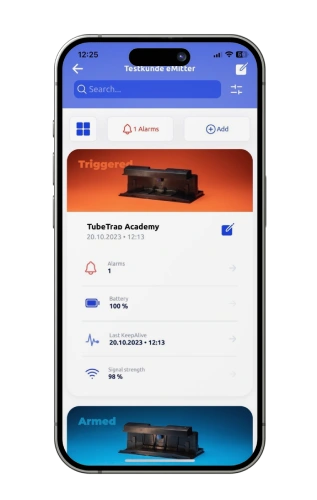
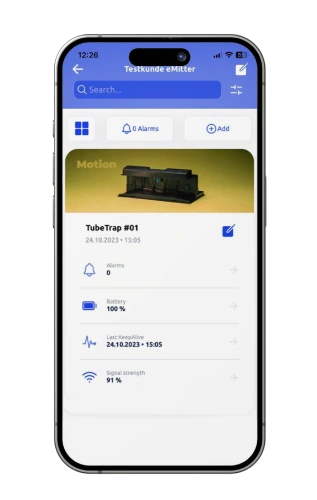
A trap that alerts you as soon as it’s triggered. You only go to the locations where something has actually happened. Switching modes, analyzing data, and documenting results are all done via the app—remotely—for individual traps or entire sites.
You’ll be notified of every catch immediately, not just during the next inspection round. A sensor triggers the trap and alerts you at the very same moment.
On the weekend, the trap monitors instead of catching. It detects rodents and alerts you, but does not trigger the alarm. The system is switched on or off remotely.
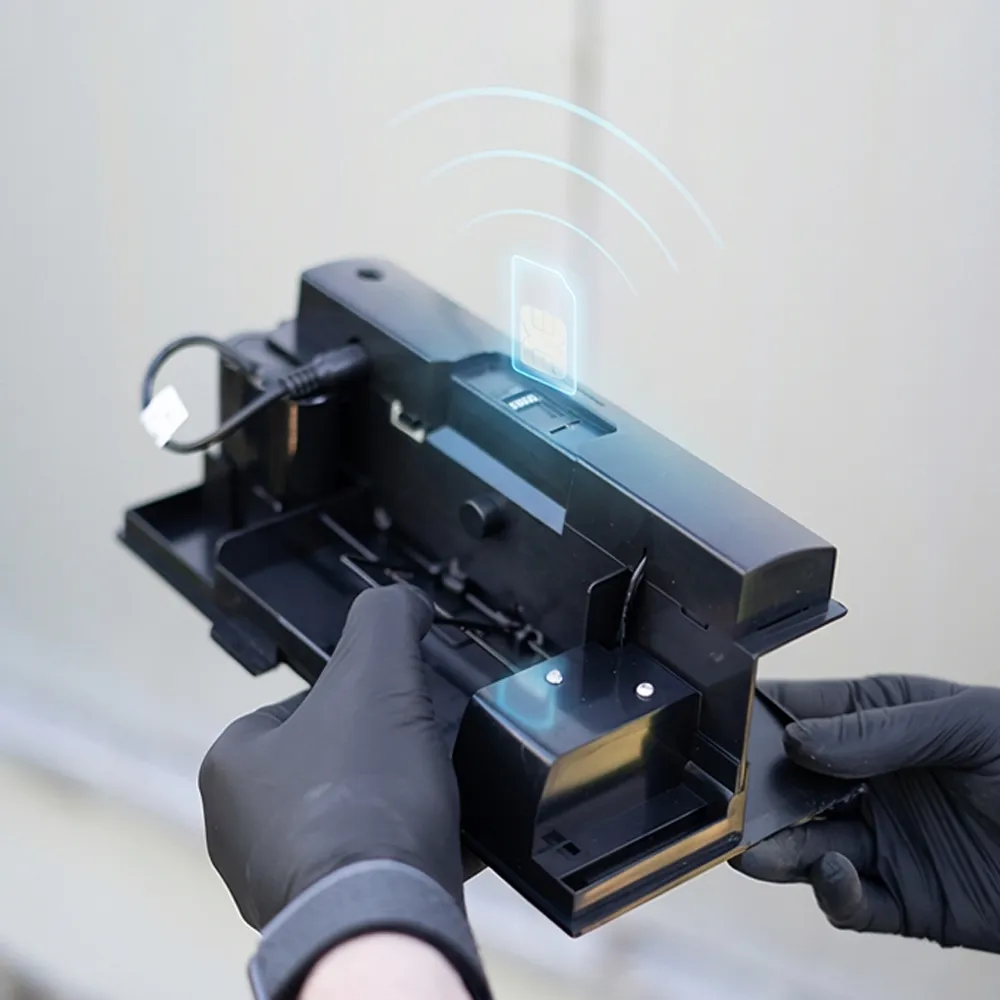
No hassle with your IT. Each trap communicates via its own SIM card. No Wi-Fi, no additional devices, and no approval required from the customer’s IT department.
Over 150,000 Emitter® devices in use by partners who trust us
A Quick Explanation: What Is a Digital Snap Trap?
A standard snap trap that also has a sensor and a wireless connection.
It works just like a traditional snap trap. The difference comes afterward: Instead of someone walking by to check, the trap itself reports that it has been triggered. The notification arrives on the cell phone and in the portal within seconds, along with the location and time. This simultaneously takes care of the documentation that is required during inspections anyway.
Not to be confused with an electronic rat trap: That one kills the rat with an electric shock and indicates a catch via a light on the device, visible only to the person standing right in front of it.
Friday night, 10 p.m., raw materials warehouse.
A trap goes off. So far, this has been noticed during the Monday morning rounds; in the worst-case scenario, it’s noticed two days later.
Once a trap report is submitted, the event appears immediately on the portal. If you don’t want to send anyone out over the weekend, set the traps to “monitoring” mode for Saturday and Sunday: they’ll then report any movement but won’t trigger. By Monday morning, it’s clear where activity occurred and where to go first.
The True Cost of Inspecting Empty Traps
It’s not the catch that costs money—it’s the journey to get there.
With traditional snap traps and bait stations, each trap is inspected, opened, documented, and closed again—regardless of whether anything has happened. In large properties, these rounds take up the majority of service time.
About 34 hoursEach year, your technicians travel to stations where nothing has happened. Sample calculation for a site with 60 monitoring points and monthly inspections: 3 minutes per point equals 36 hours of pure inspection time, plus 9 hours of travel and setup time.
Added to this is the need for proof. Anyone who needs to reduce rodenticide use or works in sensitive areas needs alternatives that are still fully documented. Today, a professional rat trap must do both: capture rats safely and provide proof of capture.
What Will Change Specifically
The benefits differ for service providers and businesses.
For Pest Control Professionals
More projects with the same team
Calls will now only be made in the event of an actual incident
Reports are generated automatically; there’s no need to type out checklists
Respond to an infestation within minutes rather than waiting until the next treatment cycle
A selling point in the offer compared to competitors who still use analog methods
For businesses subject to reporting requirements
Audit-ready documentation without paper files
Every event, with location and timestamp, accessible at any time
Fewer unauthorized persons in production and warehouse areas
Your own free access to the portal—you can read it yourself
Less Toxic Substances in Operations Because Monitoring Targets Their Use
Mechanical trap, electronic trap, or digital snap trap?
The three types differ less in the catch itself than in everything that happens afterward.
Classic Snap Trap
Electronic shock trap
Digital electric trap (Emitter®)
Catch Report
None; visual inspection only
Light on the device, visible only on-site
Push notification, app, portal, and email—within seconds
Inspection effort
Approach each case individually
Activate each trap individually
Only when triggered by an alert
Documentation
Manual, prone to errors
Manual
automatic, exportable for audits
Connection
–
–
Separate SIM card per trap; no Wi-Fi required
Energy
–
Batteries, replaced regularly
Rechargeable battery lasts up to 6 years
Monitor Instead of Catching
no
no
Can be switched remotely, even according to a schedule
Typical Applications
Residential to commercial
Primarily indoor use, household
Industry, retail, logistics, food
6 years
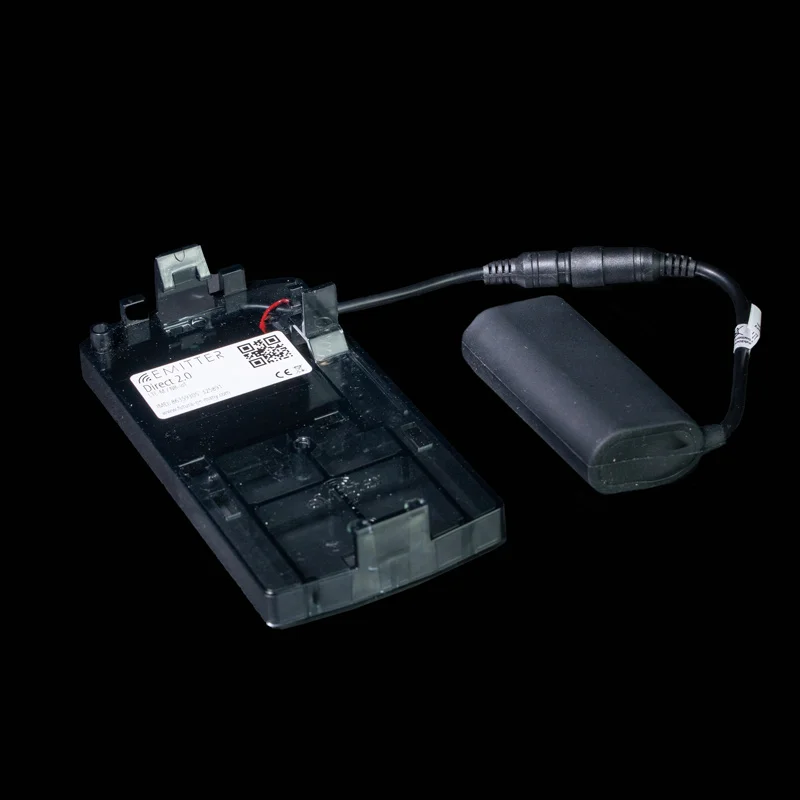
Battery life, rechargeable, changes in seconds
Since 2006
Development and production in Germany, at a family-owned business
150.000+
Equipment Used by Professionals Worldwide
Capture or monitor—decided remotely
The conflict of objectives between fishing capacity and monitoring requirements can be resolved by establishing a timeline.
Lethal traps are subject to the Animal Welfare Act in Germany. If a trap catches an animal on the weekend when no one is on site, this creates a practical problem. In monitoring mode, the trap detects and reports rodents but does not trigger.
In the portal, you can set this up as a recurring schedule and apply it to as many traps as you like—for example, trapping on weekdays and monitoring on weekends and holidays.
Both modes in one device—no need for a second product
Schedules for individual traps or entire locations
A hygiene barrier separates the captured rodent from the user’s hand
Control Rat and Mouse Traps via an App
Each trigger reaches the designated recipients within seconds.
The bite alert distinguishes between a bite and mere movement and displays each with its own icon. Alerts are sent as push notifications, via the portal, and, if desired, by email.
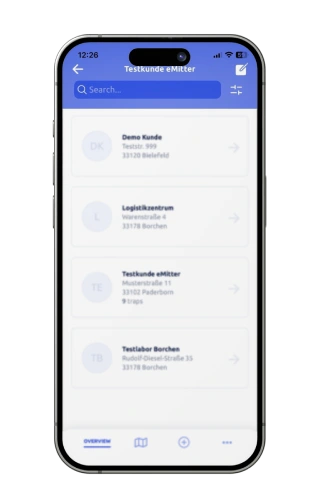
An overview of all locations and devices, filterable by zone and status
Map view of all traps, including the battery level for each device
Automatic email as soon as a battery drops below 25 percent
Free access for your customers so that property managers can read along
Each device reports its status every 23 hours, even if nothing has happened
For mice and rats, indoors and outdoors
Three devices, one portal, one app. Just two pieces of information are needed for a recommendation.
Which rodents are you interested in?
Where are the traps used?
If you select both, the corresponding combination will appear here.
Mice, Indoor
Emitter® Tubetrap 2.0
Tunnel trap with hygiene barrier. Captures and monitors in a single device, with remote activation. If you want to control a mouse trap via an app, you can view its status, catches, and battery level here.
A sturdy hard foam case that holds the digital trap and makes it ready for outdoor use. Can also be used with the Emitter® Cam, analog traps, or baits.
No project, no IT meeting, no preparation at the client’s site.
Scan the QR codeon the device using the app; the trap will then be linked to that location.
Tensioning: Tension the mechanism, insert the bait, close the lid.
Place the trap, stick it down, or hang it on the wall. A light on the device indicates that it is connected.
Training sessions are conducted via video call, webinar, or in person, and there is also an orientation video for new employees.
Digital Pest Monitoring Instead of Paper Lists
Documentation is created as part of the process, not the night before the audit.
Each event is logged with its location and timestamp. Reports can be filtered by location and zone and exported. Users who work with their own industry-specific software can import the data directly into it via a documented interface.
Typical Applications
Pest control companies with many properties and limited technician time
Food production and trade subject to IFS or HACCP requirements
Logistics centers, warehouses, and airports with large areas
Sensitive areas where the use of toxins should be reduced or avoided
On duty at Frankfurt Airport
Fraport Facility Services has digitized pest monitoring at Frankfurt Airport.
Daily routine checks are no longer required
Comprehensive digital documentation and fast audit reports
Safe for use even in public areas
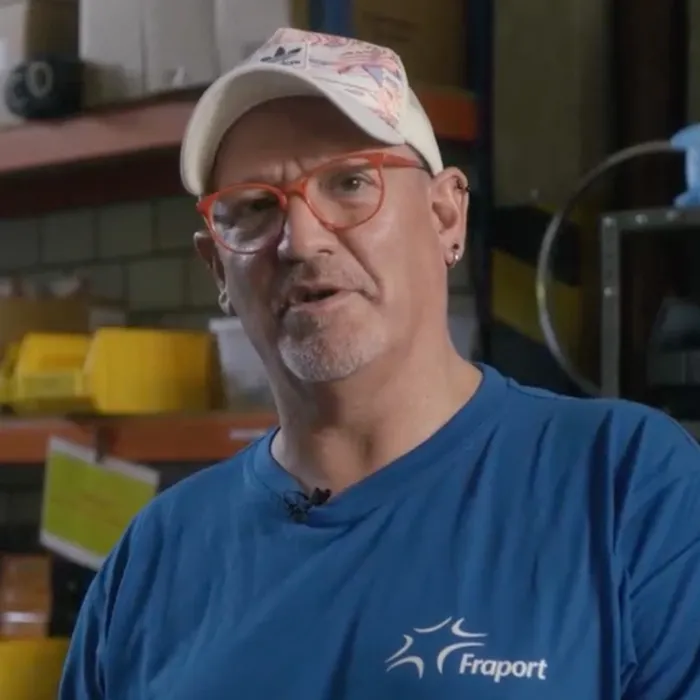
“I would recommend this system to almost anyone. There are many systems on the market, but I’ve had a very, very good experience with this one.”
Dirk Peymann Pest Control Team Leader, Fraport Facility Services
Family-owned business since 2006. Your data stays here.
All Emitter® products are manufactured in Germany. Data is transmitted in encrypted form and stored on servers in Germany. You can contact our representatives directly, without using a ticket system.
In-house development and manufacturing; no purchased hardware
Integration with existing software via a documented interface
Role-Based Access, Hosting in the EU, GDPR-Compliant Processing
NB-IoT and LTE-M, cellular standards for devices with low data traffic and long battery life
Usage
Web portal, Android and iOS apps
Power Supply
LiFePo4 battery, 6.4 V, 3600 mAh
Battery life
Up to 6 years, rechargeable, charging time approximately 8 hours
Temperature range
−20 to +60 °C
Impact force
50 Newton
Breakage resistance
up to 90 kg, roughly the weight of an adult
Fall Safety
Fall height up to 120 cm
Mounting
Adhesive anchors, adhesive pads, wall mounts
Country of origin
Germany
Frequently asked questions (FAQ)
What is a digital snap trap?
A digital snap trap is a mechanical trap equipped with a sensor and wireless connectivity. It works just like a traditional snap trap, but within seconds it reports the catch to the app and portal and automatically documents it. This eliminates the need to check traps where nothing has happened.
How is it different from an electronic rat trap?
An electronic rat trap kills the rat with an electric shock and indicates a catch via a light on the device. This can only be detected on-site. A digital snap trap uses sensor-controlled mechanics and notifies the user of a catch via cellular network. For professional users, this difference is crucial because it’s not the catch itself that requires effort, but rather the monitoring.
How does the catch report work without Wi-Fi on site?
Each trap has its own SIM card and transmits via NB-IoT and LTE-M. These are cellular standards designed for devices that transmit small amounts of data and need to operate for long periods of time. No additional devices, network sharing, or Wi-Fi access at the customer’s location are required. The signals also penetrate basement walls and utility rooms.
Can I control a rat trap or mouse trap using an app?
Yes. The status, catch reports, battery level, and location of all devices can be viewed in the Emitter app and on the web portal. Catches and movements are notified via push notifications, and you can also set up email recipients. The operating mode of individual traps or entire locations can also be switched directly from the app.
Can existing traps be retrofitted with a trap detector?
The sensor is built into Emitter® devices; we do not retrofit individual third-party traps. For outdoor use, the Runbox Smart can be equipped with digital devices, analog traps, or bait. This allows you to digitize an existing system step by step.
How long does the battery last, and how do you replace it?
The rechargeable battery lasts up to six years, even at temperatures ranging from minus 20 to plus 60 degrees. It takes just a few seconds to replace the battery, and about eight hours to recharge it. If the battery level drops below 25 percent, the system automatically sends an email.
Are digital trap devices suitable for IFS and HACCP audits?
All events are logged with their location and timestamp and can be exported for audits. This digital documentation replaces handwritten checklists. [TODO: Check: Link to the IFS page and mention of partner status.]
How much does a digital snap trap cost?
The price depends on the quantity, the combination of traps and boxes, and the extent of portal usage. We calculate the price on a per-property basis and provide a free sample in advance. [TODO: Add a price range or leave it intentionally open.]
Are the traps also suitable for outdoor use?
Yes, the Runbox Smart, made of durable rigid foam. It holds the digital trap and makes it suitable for outdoor use, either with the Emitter® Cam, analog traps, or bait.
Try it first, then decide
We’ll provide a sample for your property, free of charge and with no obligation.
We’ll set up your portal access and walk you through the setup process. You’ll see the first catch report on your own smartphone before you even consider placing an order.
/* Baut das HubSpot-Formular in den Container oben ein.
Die Warteschleife ist noetig, weil Elementor eingebettete Skripte
nachtraeglich ausfuehrt und hbspt beim ersten Durchlauf noch fehlen kann. */
(function(){
var ZIEL=’#hs-form-digitale-schlagfalle’, versuche=0;
function bauen(){
if(window.hbspt && window.hbspt.forms){
window.hbspt.forms.create({
portalId:”7472371″,
formId:”b205b4b0-0922-4757-97b8-6a20d8fb8492″,
region:”na1″,
target:ZIEL
});
return;
}
if(++versuche<80){ setTimeout(bauen,150); }
}
bauen();
})();
(function(){
var root=document.querySelector(‘.ftr-lp’); if(!root) return;
var out=root.querySelector(‘#ftr-conf-out’); if(!out) return;
var pick={};
var TXT={
‘maus|innen’:’Emitter® Tubetrap 2.0. Tunnelfalle für den Innenbereich, Fangen und Überwachen in einem Gerät.’,
‘maus|aussen’:’Emitter® Tubetrap 2.0 in der Runbox Smart. Die Box macht die Falle im Freien einsatzfähig.’,
‘maus|beides’:’Emitter® Tubetrap 2.0, außen ergänzt um die Runbox Smart. Ein Portal für beide Bereiche.’,
‘ratte|innen’:’Emitter® Direct 2.0. Die digitale Rattenfalle für Objekte mit Rattendruck.’,
‘ratte|aussen’:’Emitter® Direct 2.0 in der Runbox Smart. Geschützt aufgestellt, auch auf dem Betriebsgelände.’,
‘ratte|beides’:’Emitter® Direct 2.0, außen in der Runbox Smart. Innen und außen im selben Portal.’,
‘beides|innen’:’Tubetrap 2.0 für Mäuse, Direct 2.0 für Ratten. Beide laufen in einer App.’,
‘beides|aussen’:’Tubetrap 2.0 und Direct 2.0, jeweils in der Runbox Smart.‘,
‘beides|beides’:’Tubetrap 2.0 und Direct 2.0, außen in der Runbox Smart. Alle Geräte in einem Portal.’
};
function upd(){
if(!pick.art||!pick.ort) return;
out.innerHTML=TXT[pick.art+’|’+pick.ort]+’ Muster für diese Kombination anfragen‘;
}
root.querySelectorAll(‘[data-ftr-group]’).forEach(function(g){
var key=g.getAttribute(‘data-ftr-group’);
g.querySelectorAll(‘button’).forEach(function(b){
b.addEventListener(‘click’,function(){
g.querySelectorAll(‘button’).forEach(function(x){x.setAttribute(‘aria-pressed’,’false’);});
b.setAttribute(‘aria-pressed’,’true’);
pick[key]=b.getAttribute(‘data-val’);
upd();
});
});
});
})();
{
“@context”:”https://schema.org”,
“@type”:”FAQPage”,
“mainEntity”:[
{“@type”:”Question”,”name”:”Was ist eine digitale Schlagfalle?”,”acceptedAnswer”:{“@type”:”Answer”,”text”:”Eine digitale Schlagfalle ist eine mechanische Falle mit Sensor und Funkverbindung. Sie fängt wie eine klassische Schlagfalle, meldet den Fang aber innerhalb von Sekunden an App und Portal und dokumentiert ihn automatisch.”}},
{“@type”:”Question”,”name”:”Worin unterscheidet sich eine digitale Schlagfalle von einer elektronischen Rattenfalle?”,”acceptedAnswer”:{“@type”:”Answer”,”text”:”Eine elektronische Rattenfalle tötet mit einem Stromstoß und zeigt den Fang über eine Leuchte am Gerät an, erkennbar nur vor Ort. Eine digitale Schlagfalle arbeitet mit sensorgesteuerter Mechanik und meldet den Fang über Mobilfunk.”}},
{“@type”:”Question”,”name”:”Wie funktioniert die Fangmeldung ohne WLAN vor Ort?”,”acceptedAnswer”:{“@type”:”Answer”,”text”:”Jede Falle hat eine eigene SIM-Karte und funkt über NB-IoT und LTE-M. Zusatzgeräte, eine Netzwerkfreigabe oder WLAN beim Kunden sind nicht nötig.”}},
{“@type”:”Question”,”name”:”Kann ich eine Rattenfalle oder Mausefalle per App kontrollieren?”,”acceptedAnswer”:{“@type”:”Answer”,”text”:”Ja. Status, Fangmeldungen, Akkustand und Standort aller Geräte sind in der App und im Web-Portal einsehbar. Fänge werden per Push-Nachricht gemeldet, der Betriebsmodus lässt sich aus der Ferne umschalten.”}},
{“@type”:”Question”,”name”:”Wie lange hält der Akku einer digitalen Schlagfalle?”,”acceptedAnswer”:{“@type”:”Answer”,”text”:”Der wiederaufladbare Akku hält bis zu sechs Jahre, auch bei minus 20 bis plus 60 Grad. Der Wechsel dauert wenige Sekunden.”}},
{“@type”:”Question”,”name”:”Sind digitale Schlagfallen für IFS- und HACCP-Audits geeignet?”,”acceptedAnswer”:{“@type”:”Answer”,”text”:”Alle Ereignisse werden mit Ort und Zeitstempel protokolliert und lassen sich für Audits exportieren. Damit ersetzt die digitale Dokumentation handschriftliche Kontrolllisten.”}}
]
}